> For the complete documentation index, see [llms.txt](https://docs.candy-smith.com/main/llms.txt). Markdown versions of documentation pages are available by appending `.md` to page URLs; this page is available as [Markdown](https://docs.candy-smith.com/main/block-puzzle-jewel/how-to-reskin-png-files.md).

# How to reskin PNG files

Go to <mark style="color:green;">**Assets**</mark> -> <mark style="color:green;">**BlockPuzzleGameToolkit**</mark> FOLDER -> <mark style="color:green;">**Sprites**</mark>

**For example**, you need to **reskin** the **big coin**.

1. Go to <mark style="color:green;">**Sprites**</mark> -> <mark style="color:green;">**general\_ui**</mark> folder \
   ![](https://content.gitbook.com/content/g0Bp94O1mujntDlhwDJY/blobs/bPuuXfMEP6emCA64cvRf/image.png)<br>
2. **Open** the image **in a graphics editor**

   <figure><img src="https://content.gitbook.com/content/g0Bp94O1mujntDlhwDJY/blobs/AnnIZfvpYSTQVDy3snEh/image.png" alt=""><figcaption></figcaption></figure>
3. **Replace** it with your image\
   ![](https://content.gitbook.com/content/g0Bp94O1mujntDlhwDJY/blobs/Amttw4zi3DAnnesCQyKY/2.png)<br>
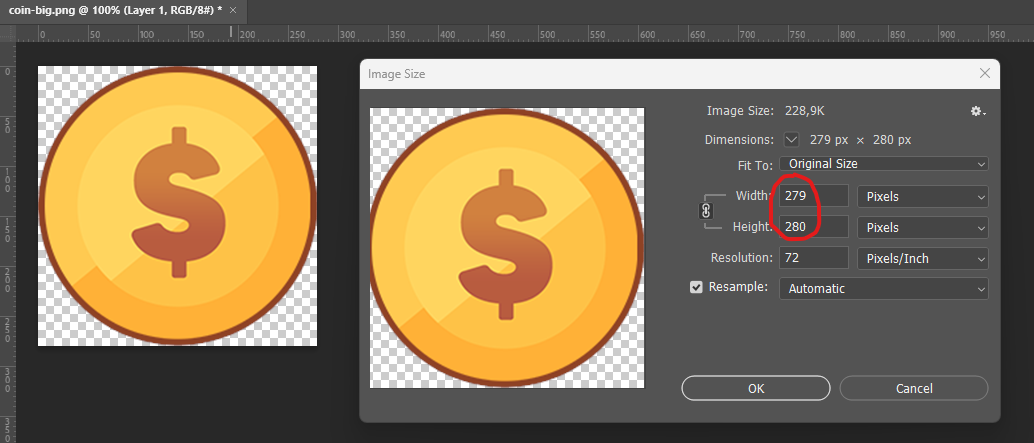
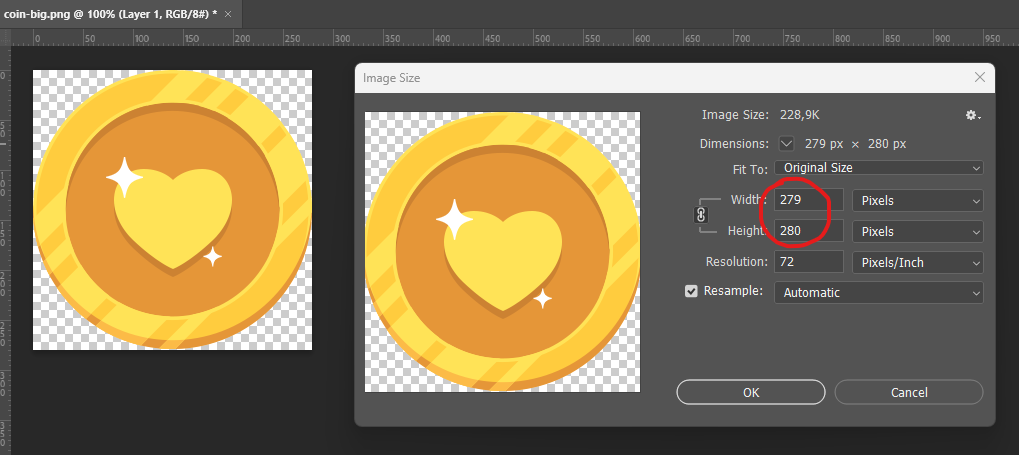
4. Make sure the file **size doesn't change**

   <figure><img src="https://content.gitbook.com/content/g0Bp94O1mujntDlhwDJY/blobs/3vwPsGsNjKW83MsGMoAf/image.png" alt=""><figcaption></figcaption></figure>
5. **Save** your image in **PNG** format, **replacing** the one that needs to be reskinned
6. Great job!\
   ![](https://content.gitbook.com/content/g0Bp94O1mujntDlhwDJY/blobs/8HktySEvrWLYgYv5p1xS/image.png)\
   \
   Result:\
   ![](https://content.gitbook.com/content/g0Bp94O1mujntDlhwDJY/blobs/JUEC1ANxPjVK791273lm/image.png)
7. Do the same for all the images you want to modify.