> For the complete documentation index, see [llms.txt](https://docs.candy-smith.com/main/llms.txt). Markdown versions of documentation pages are available by appending `.md` to page URLs; this page is available as [Markdown](https://docs.candy-smith.com/main/word-connect-game-toolkit/add-new-language.md).
# Add new language
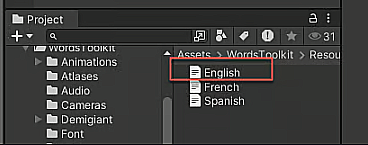
* Clone the English localization file in the Localization folder\
* Translate it's content to the new language
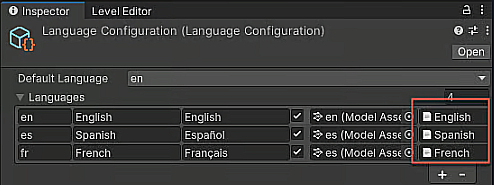
* Open the Language configuration settings (Tools->WordsToolkit->Settings->Language configuration)
* Add new language in the settings, fill the fields and assign the new localization file
* To fill the model asset train [new language model ](/main/word-connect-game-toolkit/train-new-model-or-update.md)
* Current font supports latin, cirilics, arabic rtl symbols. Use this [doc](/main/general-info/localization/font-setup.md) to create another font
* How localization objects work check [here](/main/general-info/localization/localization-details.md)