How to open the project
1. Open Unity (see the version on the asset store product page or higher)
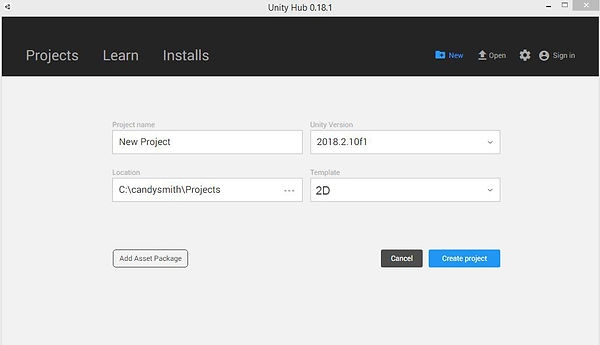
2. Create a new 2D project
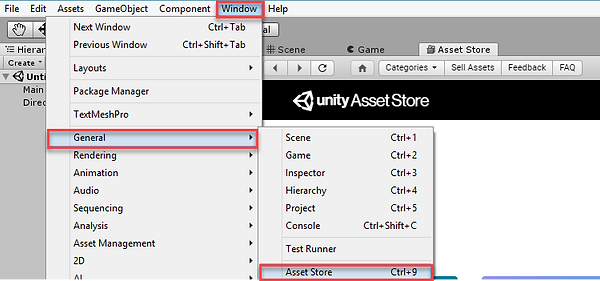
3. Go to Window --> General --> Asset Store (if you can't find the Aseets Store in top menu, try to use Ctrl+9 button for Windows or Fn9 for Mac.
4. In Asset Store tab, go to My Downloads
5. Find the asset and press Download button --> Import
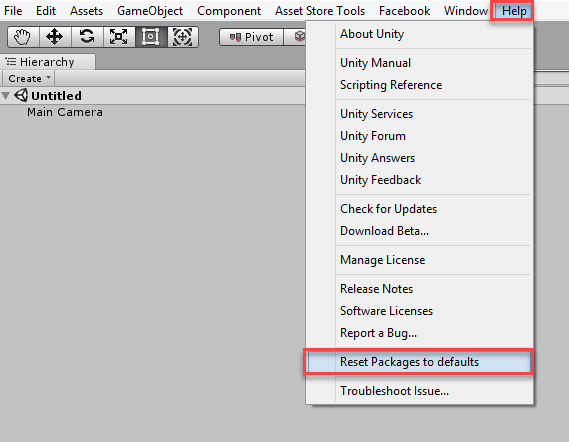
ATTENTION - Unfortunately, Unity does not always correctly launch applications from the first time. And we can not affect it. In case of any error, follow the instructions below: 1. Go to Help -->Reset Package to default 2. Restart Unity. It should to help you to solve this issue. If the problem is not solved this way, please contact our support.
Last updated